

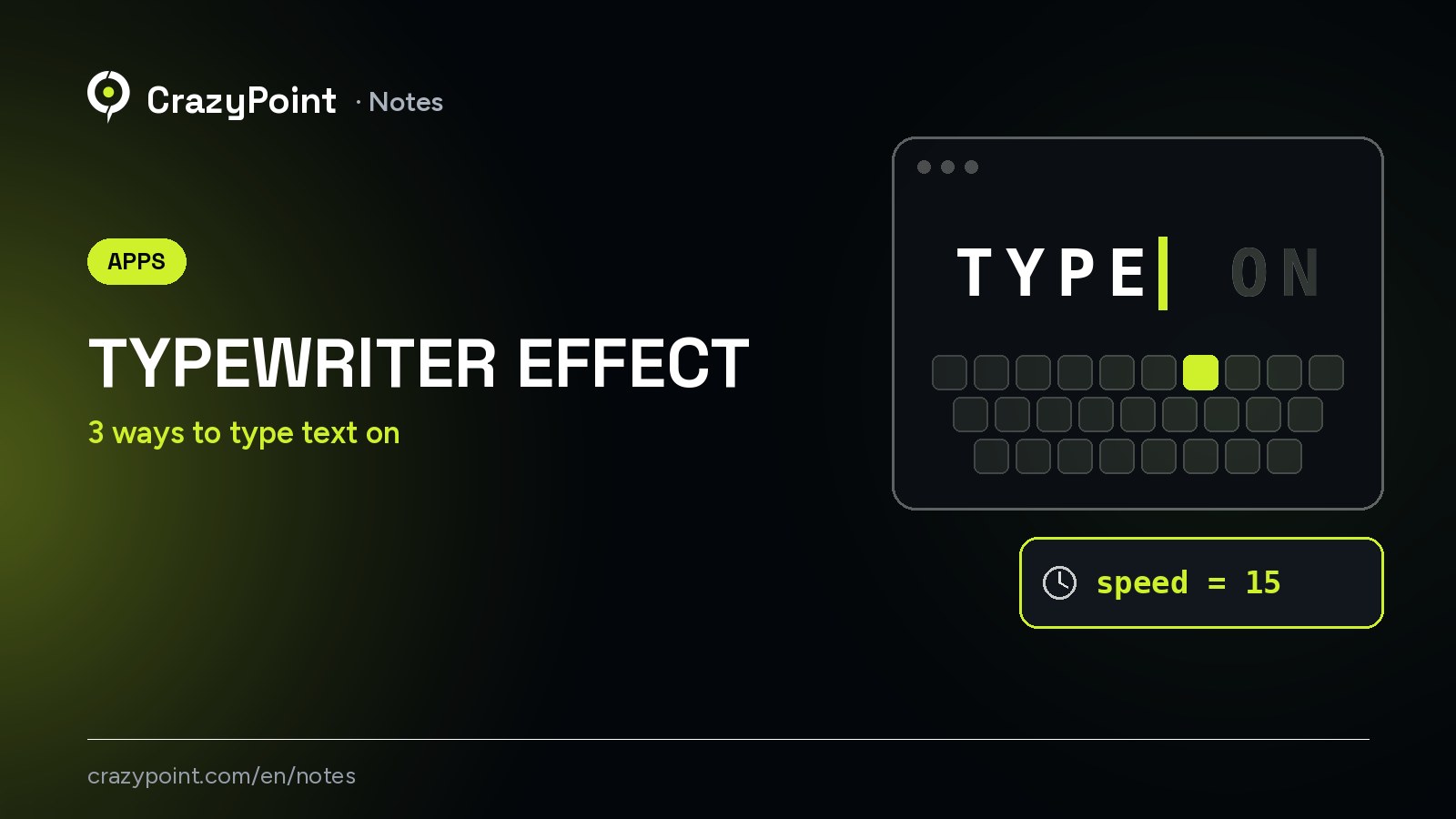
A title that types itself letter by letter pulls the eye to the text. After Effects gives you three ways to build a typewriter effect. You can use a ready preset, a text animator or an expression. In this post, we walk through all three. We also cover the blinking cursor, the speed and why centered text shifts. Finally, we show the ready typewriter in Motion Suite.
In short
3
ways: preset, animator, expression
15
chars/s (Motion Suite default)
0
keyframes (with the expression)
The shortest route is Adobe’s own preset. According to Adobe’s tutorial, you set it up like this:
The preset also adds a cursor. You can change its shape, blink speed and opacity in the layer’s dropdown.
With this method, every letter is in place from the start. The animator simply makes them visible from left to right. Adobe’s text animation examples describe it:
Smoothness is 100% by default, so the letters fade in softly. At 0%, however, each letter pops on at once, just like a typewriter.
If you’d rather skip keyframes, a short expression on Source Text does the job. Alt-click (Option-click on Mac) the Source Text stopwatch and type:
speed = 15;
s = "" + value;
n = Math.floor(Math.max(0, time - inPoint) * speed);
s.substr(0, n)
Here, speed is the number of characters per second. For example, a 48-character title typed in 3 seconds needs 48 / 3 = 16. The typing starts at the layer’s In point. So when you slide the layer in the Timeline, the effect moves with it.
For a blinking cursor, change the last line to this:
cursor = (Math.floor(time * 2) % 2 == 0) ? "|" : "";
s.substr(0, n) + cursor
The cursor blinks twice a second. For word-by-word text, split the text at spaces with s.split(” “). Then join the first n words.
The expression actually shortens the text. So if the paragraph is centered, the line re-centers on every letter. As a result, the text slides sideways. With the animator, on the other hand, the letters stay in place. Only their visibility changes.
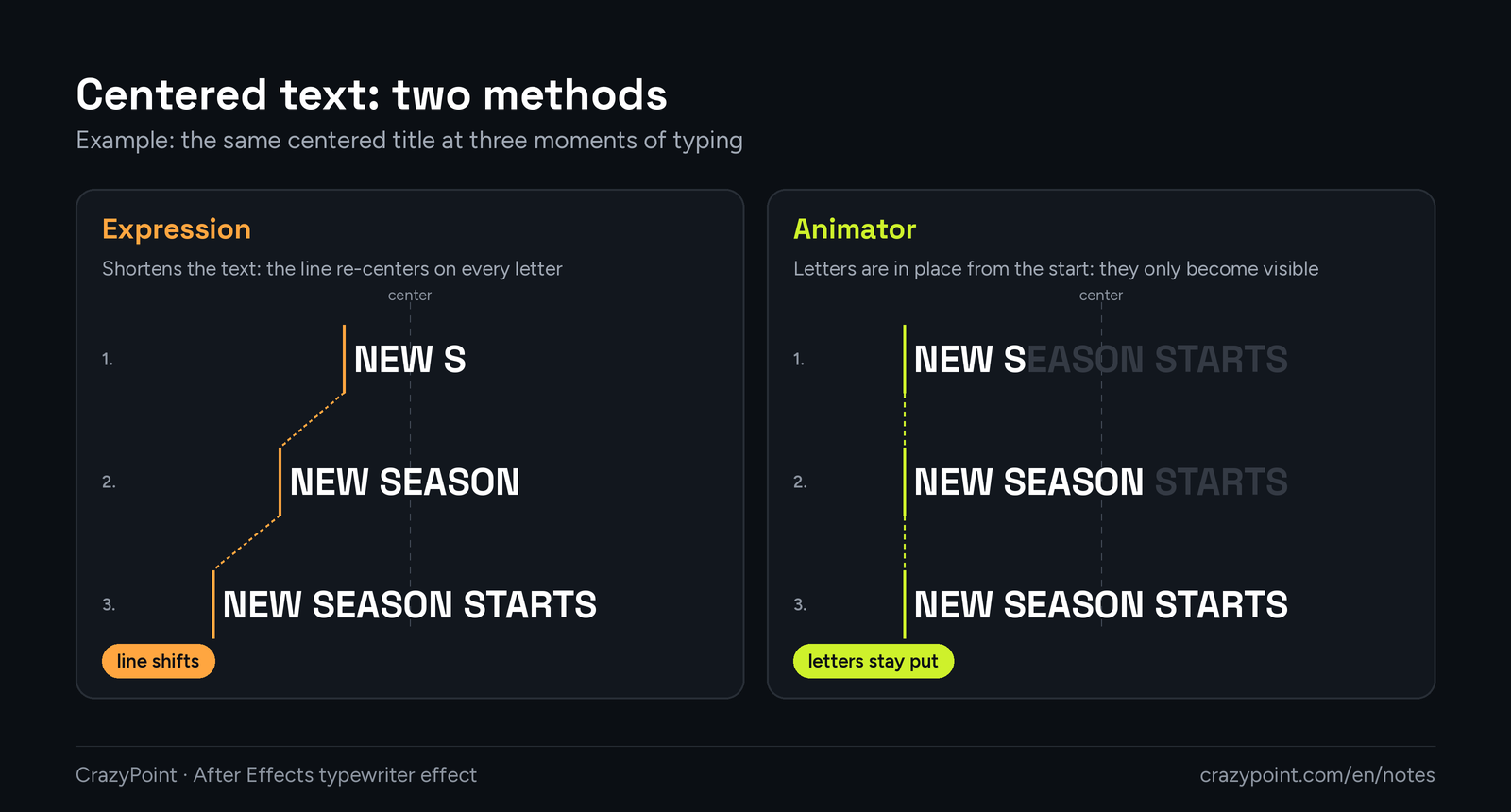
The fix is simple. If you use the expression, left-align the paragraph. For a centered or right-aligned title, use the animator instead.
Motion Suite is a plugin we built for After Effects. The Text category of its Library has three ready effects:
| Ready effect | What it does | Default settings |
|---|---|---|
| Typewriter | Types the text letter by letter, with an optional blinking cursor | Speed 15 chars/s, cursor off |
| Word by Word | Reveals the text word by word, for subtitles and titles | Speed 3 words/s |
| Scramble Reveal | Letters scramble at random, then resolve into the real text from left to right | Reveal 12 chars/s, scramble 15/s |
All three need no keyframes and start at the layer’s In point. Here is how you set one up:
If you select more than one text layer, the Library also shows a delay option. Then the lines type one after another, a set number of frames apart. The order runs top to bottom or bottom to top.
The ready typewriter also works by shortening the text. So centered titles shift here too; just left-align the paragraph.
You can download Motion Suite from its app page after signing in with Google. It is free until January 5, 2027. It runs on After Effects 2026 with Windows 10/11. The panel works in English and Turkish.
Besides the Library, there are three more tools. Ease edits curves, Glow builds light and Animation adds ready in and out animations. For example, we cover glowing text in our neon text effect post.
Divide the number of characters by the seconds you want the typing to last. For example, a 60-character sentence typed in 4 seconds needs 15 chars/s. Spaces count as characters.
Add a separate keyboard or typewriter sound file as an audio layer. Then line up its start with the frame where the typing begins. If the sound runs longer than the text, trim its end.
Yes. All three methods count accented letters like any other character. Just make sure your font includes them.
No. Motion Suite builds After Effects’ own expressions and control effects. So your project keeps working without the plugin.
Build text animation in one click
Motion Suite is free until January 5, 2027. Want us to produce animated videos for you? See our Video Production page.

Comments are closed